Reversing Projet Voltaire encryption to cheat on French classes
Everything started when I got into my first year of a computer science degree (2025). At first, nothing was wrong, but then, they said it: French classes using Projet Voltaire.
At first I thought it was a great idea, improving by trying which is usually how I work! But then the reality came in. 3 hours in, and I already got annoyed by it.
When I click and get wrong, the answer is displayed instantly, so couldn't I find the request giving the answer before answering myself?
1. Find the decryption function
The first challenge is finding the decryption function. In this case, it is fairly easy: the script is only minified and not obfuscated, which means searching for keywords like http or response quickly leads to the right area.
By inspecting the code, we can see a transformResponse function. To verify that it is the correct one, place breakpoints before and after it, then compare the input and output.
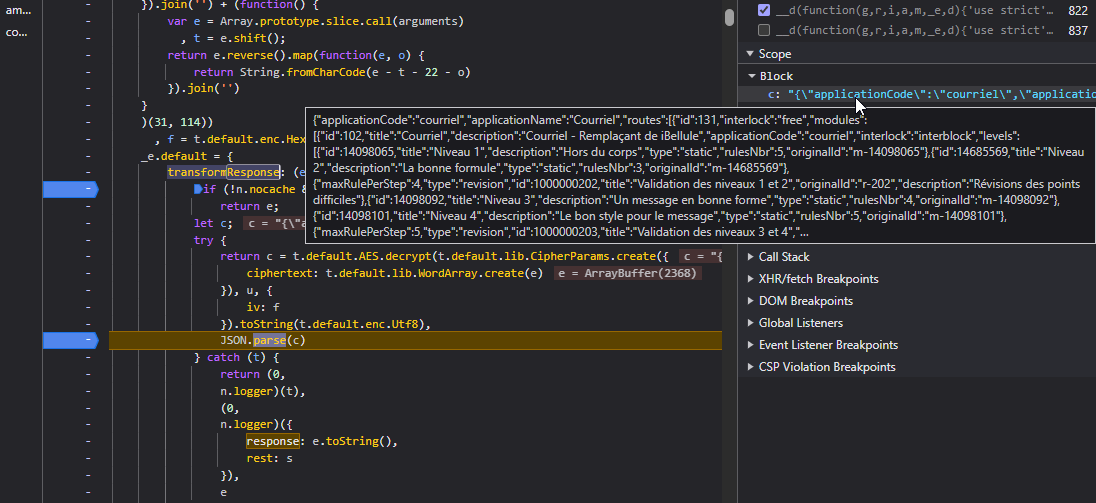 It is indeed the actual response containing all the answers.
2. Understanding the decryption
Now that we know where decryption happens, we need to understand the flow.
The decryption code that transforms the input into a string containing the JSON is:
t.default.AES.decrypt(t.default.lib.CipherParams.create({
                    ciphertext: t.default.lib.WordArray.create(e)
                }), u, {
                    iv: f
                }).toString(t.default.enc.Utf8),
We can immediately see AES, which decrypts a WordArray created from e (the input data).
This looks like CryptoJS. From the docs:
CryptoJS.AES.decrypt(encrypted, "Secret Passphrase");
var encrypted = CryptoJS.AES.encrypt("Message", key, { iv: iv });
The syntax is data, key, params.
Applying this to our code means u is the key.
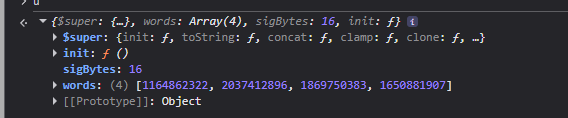
sigBytes: 16 means it is an AES-128 key.
words: [..., ..., ..., ...] is our key.
We can also see that the IV is parsed a bit earlier:
f = t.default.enc.Hex.parse("00000000000000000000000000000000"); so our iv is 00000000000000000000000000000000
3. Writing a script to decrypt data
Now that we have the algorithm, key, IV, and encrypted data, we can write a small Python script to decrypt the response:
from Crypto.Cipher import AES
import base64
from Crypto.Util.Padding import unpad

words = [1164862322, 2037412896, 1869750383, 1650881907] # Key from the code
key = b''.join(w.to_bytes(4, byteorder='big') for w in words)

ciphertext_b64 = "" # Input data encoded as base64

ciphertext = base64.b64decode(ciphertext_b64)
iv = bytes.fromhex("00000000000000000000000000000000") # IV found in the code

cipher = AES.new(key, AES.MODE_CBC, iv)
plaintext = unpad(cipher.decrypt(ciphertext), 16)

print(plaintext.decode("utf-8"))
To use this script, encode the input in base64 (using btoa) and put it in ciphertext_b64.
Using this script and the previous breakpoint, we can gather the data and verify that decryption is correct:
btoa(
  String.fromCharCode(...new Uint8Array(e))
);
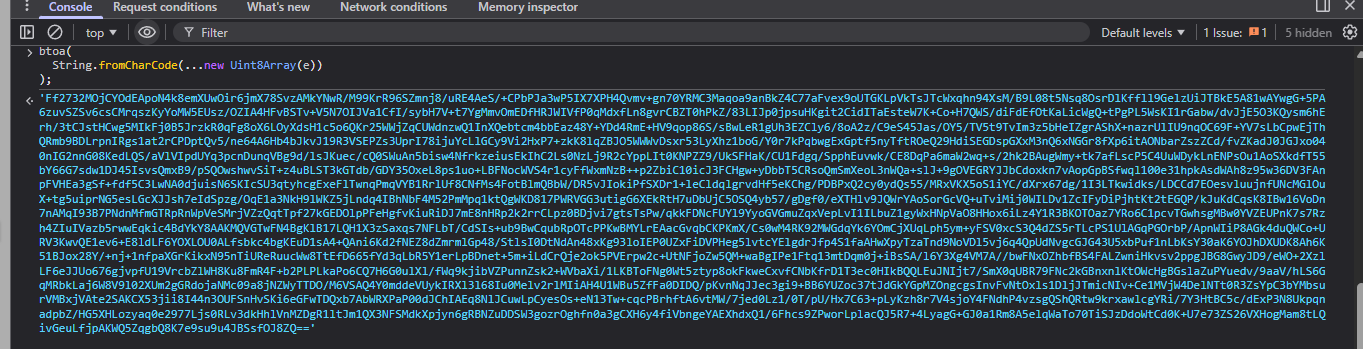
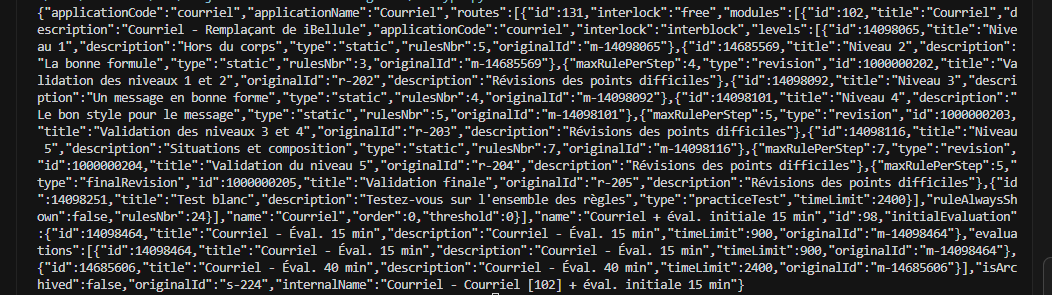
As shown below, the data is successfully decoded.
I will not go deeper here, but after this I wrote a simple Python script that sends the request, gets the response, parses it, and allow me to display & search in the answers list.